
I'm a process guy. I believe in people, process, product, in that order of attention. And when I look at small businesses, the pattern is almost always the same. The people are good. The product works. The manual business processes holding it together are where things break.
Manual processes rarely fail all at once. They leak. An hour here, a missed follow-up there, a report that shows up three days late. Each leak looks small. Together they cap how much your business can grow without adding headcount.
Here are the seven mistakes I see most often, and what to do about each one.

Mistake 1: Starting with the shiny idea instead of the bottleneck
When owners first get excited about AI, they want to start with the cool stuff. A chatbot. An AI that writes social posts. Meanwhile, invoices sit for a week because nobody has time to send them.
The fix: start where the time and money are actually going. Ask your team one question: "What do you do every week that you wish a computer would do?" The answer with the most hours behind it is your first project. Exciting can come later.
Mistake 2: Keeping the process in one person's head
Every small business has someone who just knows. Which customer wants a call instead of an email. Which supplier needs a PO number on the invoice. How to make the monthly report balance. When that person is out, everything slows down. When they leave, some of it is gone for good.
The fix: write it down before you automate it. Not a 40-page manual. A short list of steps, who does each one, and where the information comes from. Then automate the repeatable parts and turn the rest into training people can actually find. I've done this at scale for a fire protection contractor, turning SOP binders into an online training hub. You can see it on my work page.
Mistake 3: Typing the same information more than once
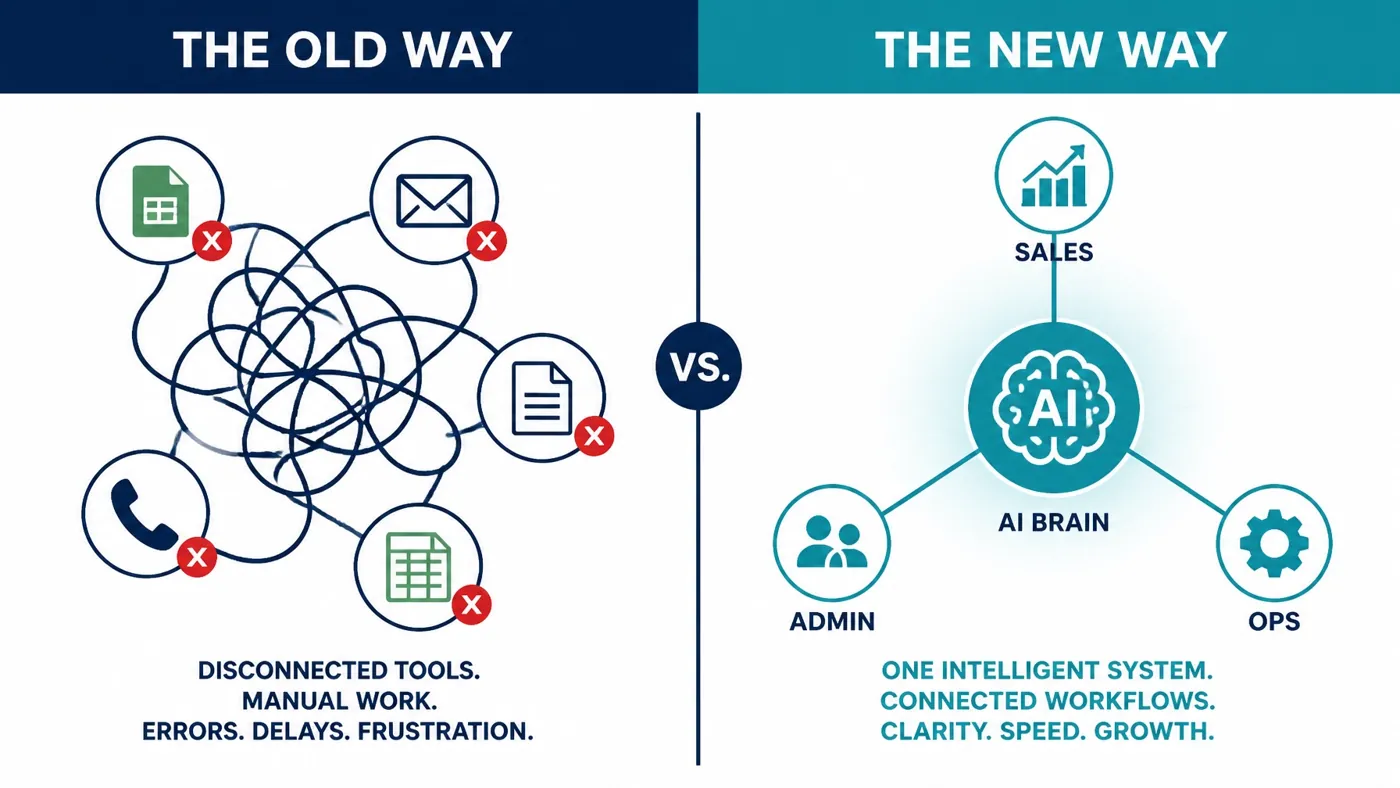
A customer fills out a form. Someone copies it into the CRM. Then into the scheduling tool. Then into accounting when the job closes. Same name, same address, typed three or four times by hand.
The fix: information should be entered once and flow everywhere it needs to go. That's what connecting your tools does. If you want to see what this repetition is really costing you, run the worksheet in the copy-paste tax. The number tends to end the debate.
Mistake 4: Letting leads wait for business hours
Someone fills out your contact form at 8 PM. If your follow-up is manual, they hear from you the next morning, maybe the next afternoon. By then they've called someone else.
Speed matters here. >Research published in Harvard Business Review found most companies respond to online leads far too slowly, and that the odds of qualifying a lead drop quickly once the first hour passes.
The fix: an automated first response that's actually useful. It confirms what they asked for, answers the obvious questions, and offers a time to talk. Then it puts the lead in your CRM and nudges whoever owns the follow-up. Lead response time is one of the first things I look at in any business that sells services.
Mistake 5: Building reports by hand every Friday
If someone spends Friday afternoon pulling numbers from four apps into a spreadsheet, two things are true. You're paying for those hours. And by the time you read the report, it's already out of date.
The fix: reports that build themselves from the systems you already use. A dashboard you can check Tuesday morning without asking anyone for anything. I built one for a private school that combines web analytics, media coverage and AI search monitoring in one place, which is on the work page too.

Mistake 6: Buying another app to fix a process problem
When something hurts, it's tempting to buy software for it. Now you have one more login, one more subscription and one more place where data gets stuck. The process problem is still there. It just moved.
The fix: work with what you have first. Most tools you already pay for can send and receive data. Connect them. Cut what nobody uses. Build something custom only when nothing you own fits the job.
Mistake 7: Automating without a human check
The opposite mistake is trusting automation blindly. AI is very good at reading emails, invoices and forms. It's not perfect. If nobody is watching, a bad read can quietly flow into three systems.
The fix: design the automation so people review exceptions. Clear rules for what goes straight through and what gets flagged. Your team stops doing every step and starts checking the odd ones, which is a better use of good people anyway.
A 15-minute process audit you can do today
Grab a notepad and walk through these five questions:
- What are the five tasks your team repeats every week? List them.
- Which ones involve typing something that already exists somewhere else? Circle those.
- Which one only one person knows how to do? Star it.
- How long does a new lead wait before hearing from you after hours? Write the honest answer.
- Which report do you wait on every week? Note who builds it and how long it takes.
Anything with a circle and a star is a strong first candidate.
How I'd approach this
I take the worst item from that audit and fix that one thing first. I map the process with the person who does it, connect your existing tools, usually with n8n, and add AI where it saves real time. Then I train your team and make sure it holds before moving on. That's how I work, one bottleneck at a time.
Frequently asked questions
What manual business processes should a small business automate first?
The one costing you the most time or money right now. For a lot of small businesses that's lead follow-up, quoting, invoicing or weekly reporting. Don't start with the most interesting idea. Start with the one that makes you wince when you think about how many hours it eats. One workflow, done well, beats ten half-built ones.
Can AI run a business process on its own?
For repetitive, rules-based steps, mostly yes. AI is very good at reading emails, forms and PDFs and pulling out what matters. It isn't perfect, so I build in checks and send anything unusual to a person. The goal is that people review exceptions instead of doing every step by hand, not that nobody is watching.
Do I need to document a process before automating it?
Yes, at least roughly. You can't automate something nobody can describe. It doesn't need to be a binder. A short list of steps, who does each one, and where the information comes from and goes is enough to start. Writing it down often exposes steps that can simply be deleted.
Do I have to switch software to automate my processes?
No. I start with the tools you already pay for and connect them so information moves on its own. Along the way you'll probably find a subscription or two nobody uses. I only build something custom when nothing you have fits the job, and you own whatever gets built.
Start with one bottleneck
Pick the worst item from your audit and bring it to a 30-minute conversation. I'll tell you straight whether it's worth automating and where I'd start. No pitch. Book a time here.